Views: 7670
Last Modified: 29.08.2013
The Bitrix Site Manager consists of two sections. These sections differ by their functions and management tools sets:
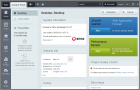 |
Administrative section: this section contains tools for system general parameters management, site and content management, and other operations.
|

|
Public section: this section is intended for displaying all public pages and materials to site visitors.
|
The Bitrix Site Manager has module structure. Each module is "responsible" for the management of definite data and implementing exact set of operations. The number of modules available for exact copy of product is defined by using license. More detailed information about the system modules is available in product documentation.
The Bitrix Site Manager framework is designed to separate the visual aspect from the software kernel of a site. This feature allows:
- to avoid unexpected kernel modification during work with the system files;
- to exclude the possibility of public file modification during the product update.
The software kernel is located in the folder /bitrix/ relative to the site root. Subdirectories of this folder contain the following files:
/activities/ | actions of business processes; |
/admin/ | administrative interface. Provides forms for managing the system modules; |
/cache/ | cache files created while caching the dynamic information; |
/components/ | components included in the product package; |
/gadgets/ | all gadgets; |
/images/ | images for the system modules; |
/modules/ | class libraries of the system modules; |
/php_interface/ | auxiliary system files (database connection preferences, other information);
/include/ - subdirectory containing module helper user-editable scripts;dbconn.php - database connection parameters; init.php - portal-wide additional parameters; after_connect.php - included right after the database connection is established; dbconn_error.php - included when a database connection error occurs; dbquery_error.php - included when a SQL query execution error occurs; /site ID/init.php - additional parameters for the site; the file is included right after a special constant SITE_ID is defined.
|
templates/ | site design templates; components used by the templates. Basically, the integration process affects files in this directory only; contains the following subdirectories:
/.default/ - subdirectory with common files used by default templates; has the structure similar to the site template directory described below; /site template ID/ -subdirectory with site template; contains the following subdirectories and files:
init.php - portal-wide additional parameters; /module ID/ - directory containing components of a specific module; /lang/ - language files used by this template and components;/images/ - directory containing images used by this template;/page_templates/ - directory containing page templates and their description (stored in file .content.php); /header.php - prologue of this template; footer.php - epilogue of this template; styles.css - CSS used by this template; .menu type.menu_template.php - template used to display a menu of the corresponding type;
|
/tools/ | here the installation procedure copies additional files that may be used with any pages of the site: help, calendar, image slideshow etc.; |
/updates/ | used for the updates downloads; |
header.php | a standard file which in its turn includes the current site template prologue; this file must be used with all pages of the public section; |
footer.php | a standard file including the current site template epilogue; this file must be used with all pages of the public section; |
license_key.php | this file contains the license key; |
spread.php | this file is used by the Kernel module to spread user cookies among additional site domains; |
redirect.php | used by the Web Analytics module to register link redirect events; |
stop_redirect.php | used by the Web Analytics module to display a message to a visitor currently in the stop-list; |
activity_limit.php | used by the Web Analytics module to emit a message to the robot if it exceeds the activity quota; |
)
)